Join The Club





Info from Gigabyte on the ground at Computex is that the board is going to cost something in the region of around $3,000. There may not be many of them being made, so enjoy the spinny video.
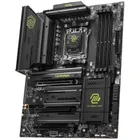
With Asus going somewhat over the top with hulking products for its ROG 20th anniversary, it might have slipped under your radar that Gigabyte is also throwing a party. To celebrate 40 years of making all things PC-related, it's releasing a host of special edition goodies at this year's Computex event, and top of the tree for me is a very spiffy-looking motherboard.
To make the X870E Aorus Infinity Next stand out from the crowd, Gigabyte has gone decidedly over the top, with "flagship engineering" that "combines space-tech and data center-grade design through rocket thruster-grade thermal materials and advanced 3D metal printing technology". No, I didn't make that up.

The 'space' and 'data center' stuff relates to the satellite grade metals being used in the frame around the board, and the VRMs (voltage regulation modules) on the motherboard, in that they're Infineon OptiMOS components. These aren't normally found on consumer-grade boards, and I suspect the use of them will add a pretty penny to the Infinity Next's price tag. That and the fact that there are 64 power phases.
Yes, you read that right: sixty four, for a total current supply of 5,120 A. That is, to use a scientific term, utterly bonkers and arguably utterly pointless, because even a heavily overclocked Ryzen 9 9950X3D2 Dual Edition isn't going to draw anywhere near that amount of current. At the very least, you'll know that whatever Ryzen you throw in there, the VRMs aren't going to be stressed.
That's probably true of the primary M.2 slot's heatsink, as that's the 'rocket thruster' stuff. "The innovative AI Gyroid M.2 heatsink structure, only achievable through 3D metal printing, delivers up to 44% greater cooling surface area. Combined with a 3D-printed vapor chamber and honeycomb-structured metal backplate, it pushes flagship motherboard thermal engineering beyond traditional limits," says Gigabyte.
When we tested the heatsink performance of the X870 Aorus Elite Ice, using a PCIe 5.0 Corsair MP700, the SSD only hit 66 °C at most, and that's just a fairly standard Gigabyte heatsink design. The one in the Infinity Next is likely to be significantly better, but just as with the VRMs, complete overkill.

Alongside the very pretty-looking Infinity Next, Gigabyte also has the X870 Aorus Infinity. Which doesn't look as good to my eyes, but if you peer closely at the sole picture we have of the board, you'll notice that the CPU socket and DIMM slots have been twisted around.
That's because this motherboard is "engineered to redefine memory responsiveness on the AMD X870 platform. By pushing CL24 timing, twice as tight as standard timings, the motherboard delivers an impressive 20% speed advantage and achieves the lowest memory latency ever on the AMD X870 platform for a faster, more responsive gaming and computing experience."
Getting hold of DDR5 memory that can handle that CAS timing is perhaps going to be a problem, as CL26 is the snappiest stuff I can find on Newegg and Amazon at the moment. But hey, that's the very nature of such special edition products. I mean, if you are going to celebrate 40 years of making motherboards, you're pretty much expected to churn out something that is absurdly over-specified.
The full details of the Gigabyte X870E Aorus Infinity Next and X870 Aorus Infinity haven't been released yet, including prices and availability, so you might want to wait until you know exactly what you're getting before rushing out and buying one.
1. Best AM5 - AMD Ryzen 9000/7000:
MSI MAG X870 Tomahawk WiFi
2. Best budget AM5 - AMD Ryzen 9000/7000:
Asus TUF Gaming B650-Plus WiFi
3. Best midrange AM5 - AMD Ryzen 9000/7000:
ASRock B850 Steel Legend WiFi
4. Best AM4 - AMD Ryzen 5000/3000:
Asus ROG Strix B550-E Gaming
5. Best LGA1851 - Intel Core Ultra 200S:
Asus ROG Maximus Z890 Hero
6. Best budget LGA1851 - Intel Core Ultra 200S
ASRock B860 Steel Legend Wi-Fi
7. Best LGA1700 - Intel 14/13th Gen:
MSI MAG Z790 Tomahawk WiFi
8. Best budget LGA1700 - Intel 14/13th Gen:
Asrock B760M PG Sonic WiFi